

Key Takeaways
-
A patient check-in process should remove friction while preserving easy access to human help.
-
Clear language, simple screens, accessible design, and language support can make arrival easier for more people.
-
Accurate demographic and insurance information can reduce avoidable follow-up work.
-
Privacy must be considered in both the digital workflow and the physical lobby layout.
-
Healthcare teams should measure patient experience and staff workload, not check-in speed alone.
The First Few Minutes Set the Tone
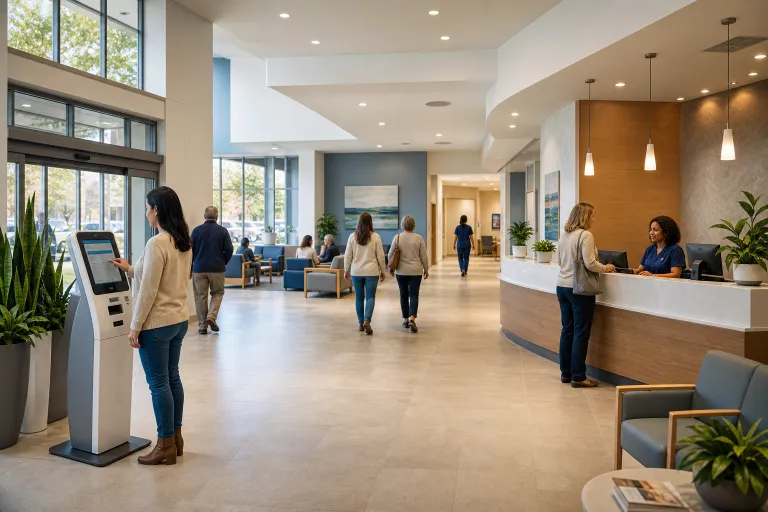
The arrival experience can shape a patient’s confidence before care begins. A crowded lobby, unclear directions, repeated paperwork, or uncertainty about where to go can add stress to an already difficult visit. Well-planned doctor’s office check-in kiosks can be one part of a smoother arrival process, but the goal is not simply to add technology. The goal is to make every patient feel informed, respected, and ready for the next step.
A strong check-in workflow is quick, clear, private, and flexible. It confirms that the patient has arrived, collects only necessary updates, explains what happens next, and gives staff a clear signal when personal assistance is needed. Patients should be able to choose the path that works best for them, whether that is a receptionist, a caregiver-supported process, a mobile device, or a self-service station.
What a Modern Check-In Process Should Accomplish
Check-in is more than a registration task. It connects the patient’s appointment, record, financial information, waiting instructions, and care team. A useful process should reduce unnecessary waiting without making patients feel rushed or left on their own.
-
Confirm the appointment or visit type.
-
Update important contact, insurance, or demographic details.
-
Direct the patient to the appropriate waiting area or department.
-
Identify exceptions that require staff review.
-
Give patients a clear confirmation that check-in is complete.
Build Around the Real Patient Journey
Healthcare leaders should look beyond the front desk and map the full journey from parking or the entrance to the waiting area. Signs should be readable from a distance, check-in points should be easy to find, and instructions should explain where patients should go next. Observing this journey during busy periods is especially important because a process that seems efficient at midmorning may become confusing during an early rush.
Consider a patient arriving for imaging who needs to update insurance information. If the patient cannot tell whether to approach the desk, scan a code, or use a nearby screen, the process has already created a delay. Clear signage, a visible staff member, and a simple option to continue or request help can prevent that uncertainty from becoming frustration.
Accessibility should be a starting requirement, not a later adjustment. Federal health technology accessibility guidance specifically addresses healthcare kiosks and other electronic information technology used by covered entities. Designing for a wide range of needs can also improve the experience for people who are tired, anxious, injured, unfamiliar with technology, or assisting a family member.
-
Use large, readable text and strong contrast.
-
Make buttons easy to identify and select.
-
Provide concise visual instructions and, where practical, audio support.
-
Offer language choices that reflect the community served.
-
Ensure physical stations can be used by people who are seated.
-
Keep an equally available staff-assisted path for patients who need it.
Keep Digital Check-In Short and Clear
Patients should not have to complete a lengthy form just to announce their arrival. Each screen should ask one understandable question, use plain language, and allow corrections before submission. Terms such as “Confirm Your Appointment” are usually easier to understand than internal registration language.
A Simple Check-In Sequence
-
Confirm identity using an appropriate method.
-
Confirm the appointment, department, or visit type.
-
Review contact details.
-
Verify insurance information if an update is needed.
-
Complete required forms or acknowledgments.
-
Provide directions, queue information, or waiting instructions.
-
Display a clear completion message and a way to request help.
Protect Privacy in the Lobby
Arrival workflows often involve personal details such as dates of birth, phone numbers, insurance information, and health-related questions. Screen placement, automatic timeouts, privacy filters, and limited on-screen detail can help reduce unnecessary exposure. Staff should also avoid asking patients to announce sensitive information in a busy public area.
Privacy practices should align with the organization’s obligations under the HIPAA Privacy Rule. When a patient needs to resolve a complicated issue, such as an identity mismatch or insurance concern, the workflow should direct them to a more private conversation rather than requiring them to explain the problem at a public counter.
Connect Check-In With Staff Workflows
Self-service should not create a separate process that staff must constantly watch and reconcile. A well-connected workflow gives employees a usable view of arrivals, incomplete steps, and records requiring attention. It should also let staff pause, restart, or take over a check-in when necessary without forcing the patient to begin again.
Staff training matters as much as interface design. Employees should know how to offer assistance without assuming every patient needs it, how to recognize when escalation is appropriate, and how to preserve privacy while helping. The best use of self-service is often to free staff from repetitive tasks so they can focus on exceptions and personal support.
Offer Multiple Check-In Paths
Choice is essential. Some patients may prefer to complete portions of registration before arriving, while others may want to use a self-service station or speak directly with a receptionist. A caregiver, interpreter, or family member may also be part of the arrival process. Patients who complete one step online should not have to repeat it at the facility unless new information is needed.
Improve Data Quality Without Creating More Work
Check-in can be a practical moment to confirm information, but it should not become a demand for patients to re-enter data that the organization already holds. Ask patients to verify key details, flag missing information for staff, and show a clear summary of submitted changes. Consistent field names and documented updates can make later review easier across departments and locations.
Measure Results That Matter
Faster completion is useful only if patients can complete the process confidently and the staff spends less time correcting avoidable errors. Track results over time and compare them across visit types, languages, and access needs.
-
Time from arrival to completed check-in.
-
Completion rates with and without staff assistance.
-
Abandoned, paused, or failed check-in attempts.
-
Registration corrections were identified after the visit.
-
Wait time before the next stage of care begins.
-
Patient feedback about clarity, privacy, and ease of use.
-
Staff time spent resolving registration problems.
A Practical Rollout Plan
-
Observe the current process: Document patient movement, common questions, handoffs, and bottlenecks.
-
Identify root causes: Separate layout, staffing, software, data, and communication problems.
-
Start with a focused pilot: Choose one department, location, or visit type.
-
Test with real users: Include patients with disabilities, older adults, caregivers, staff members, and people with limited English proficiency.
-
Train the support team: Define when to assist, when to escalate, and how to protect privacy.
-
Improve before expanding: Use feedback and performance data to address confusing screens or workflow gaps.
Make Check-In Easier, Not Colder
The purpose of better check-ins is not to replace personal service. It is to remove avoidable tasks, reduce confusion, and give staff more time for patients who need direct support. When clear wayfinding, accessible options, accurate data collection, privacy safeguards, and human assistance work together, the arrival experience can begin each visit with greater confidence and less stress.
