

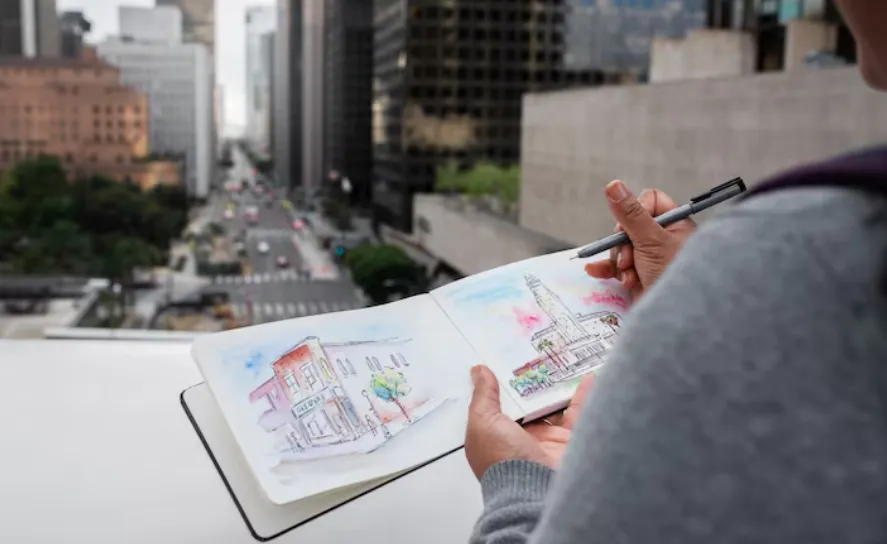
Every architect has a drawer full of napkin sketches that never became anything. Rough lines, a roof shape, maybe a tree scribbled in the corner. That’s where architectural sketch to image AI tools step in, turning those quick doodles into something you can actually show a client without embarrassment. But here’s the thing nobody explains clearly: sketch to image and sketch rendering aren’t the same process, even though people throw the terms around like they’re twins.
They’re cousins at best. Related, sure. But different jobs, different outputs, different moments in your workflow.
What Sketch to Image Actually Means
Sketch to image tools take your raw drawing, the messy one, and generate a completely new image based on it. Think of it as translation work. Your sketch says “house with a pitched roof,” and the AI writes back a full photorealistic scene. Lighting, materials, shadows, landscaping, all of it invented on the spot.
It’s less about refining what you drew and more about reimagining it. The bones stay similar. Everything else gets rebuilt from scratch, almost like handing your idea to a very fast, very literal collaborator.
Where AI Architectural Sketch Rendering Fits
Now flip to the other side. AI architectural sketch rendering usually means enhancing or polishing an existing sketch rather than replacing it entirely. You keep more of your original linework, your proportions, your intent. The AI adds texture, shading, maybe a bit of atmosphere. It’s a rendering upgrade, not a reinvention.
I’ve noticed a lot of students confuse the two and end up frustrated when a tool changes too much of their design. That frustration usually comes from picking the wrong process for the job, not a flaw in the software itself.
Why the Distinction Actually Matters
Say you’re pitching a concept to a client on Friday afternoon, coffee gone cold, deadline breathing down your neck. If you need something eye-catching fast, sketch to image wins. It generates a vivid scene quickly, even if the AI takes creative liberties with your original lines.
But if you’re deep into schematic design and need to preserve exact proportions while just improving visual clarity? Rendering tools serve you better there. They respect your geometry instead of guessing at it.
A few quick differences worth remembering:
- Sketch to image often changes materials and lighting completely
- Sketch rendering tends to preserve original proportions closely
- Rendering suits technical stages, image generation suits pitches
- One invents details, the other refines existing ones
Small distinctions. Big impact on your final output though.
The Learning Curve Nobody Mentions
Neither tool is plug-and-play, not really. You’ll fight with prompts. You’ll get weird results where a window turns into a door for no clear reason (this happened to a friend of mine three separate times, same software, same sketch style, still don’t know why). That’s normal. AI tools have quirks, and architecture ones are no exception.
Give yourself room to experiment. Run the same sketch through five times with tiny prompt changes. You’ll start noticing patterns, what triggers realistic textures, what confuses the model, what phrasing gets ignored entirely.
Students Versus Working Professionals
Architecture students lean toward sketch to image because speed matters more than precision during ideation phases. Professionals juggling client contracts often need the rendering side more, since proportions and code compliance actually matter once a design moves past the concept stage.
That said, plenty of firms use both. The concept phase gets the imaginative treatment. Development phase gets the precise rendering pass. Makes sense when you think about it, different tools for different pressures.
Common Mistakes Worth Avoiding
People rush the sketch itself, assuming AI will fix bad linework. It won’t, not reliably anyway. A confusing sketch produces a confusing render nine times out of ten. Clean lines, even rough ones, give the algorithm something solid to interpret.
Another mistake: expecting one tool to do everything. Sketch to image handles ideation beautifully. It struggles with technical accuracy though. Rendering tools handle accuracy well but won’t dream up bold new concepts for you. Knowing which job you’re doing before you open the software saves a lot of wasted credits and wasted time.
Here’s what tends to trip people up most:
- Skipping proportion checks before generating
- Using vague prompts with no material or style cues
- Expecting rendering software to redesign the building
- Ignoring lighting direction, which affects realism heavily
Small oversights. They add up fast if you’re not paying attention.
Practical Ways to Combine Both
Some architects run a two-step process now. First pass through a sketch-to-image tool for mood and concept exploration. Second pass through a rendering tool once the direction feels locked in. It sounds like extra work, and honestly it is a little, but the payoff shows in presentation quality.
Clients respond to polish. Not perfection necessarily, just enough refinement that they can picture themselves standing in the space. That emotional pull matters more in early meetings than technical accuracy ever will.
Where Speed Actually Helps
Time pressure is real in this profession, everyone knows that. Deadlines don’t care how inspired you feel. What AI tools offer, regardless of which category they fall into, is speed without completely sacrificing quality. That’s genuinely useful, not just a marketing line.
Ten years ago this kind of turnaround required a rendering specialist and several days minimum. Now a single person handles concept visuals in an afternoon. Wild, honestly, when you sit with that comparison for a second.
Conclusion
Neither approach beats the other outright. They solve different problems at different stages of a project. Understanding that difference saves you from frustration, wasted credits, and that particular annoyance of watching software redesign something you never asked it to touch.
Pick sketch to image when you want bold reinterpretation. Pick sketch rendering when you want faithful refinement. Simple rule, though it took me longer than I’d like to admit to actually internalize it myself.
Platforms like mnml.ai now offer both approaches under one roof, which honestly makes this whole decision less complicated than it used to be. You stop hopping between five different apps and start focusing on the actual design work instead, which, let’s be real, is the part that matters most anyway.
